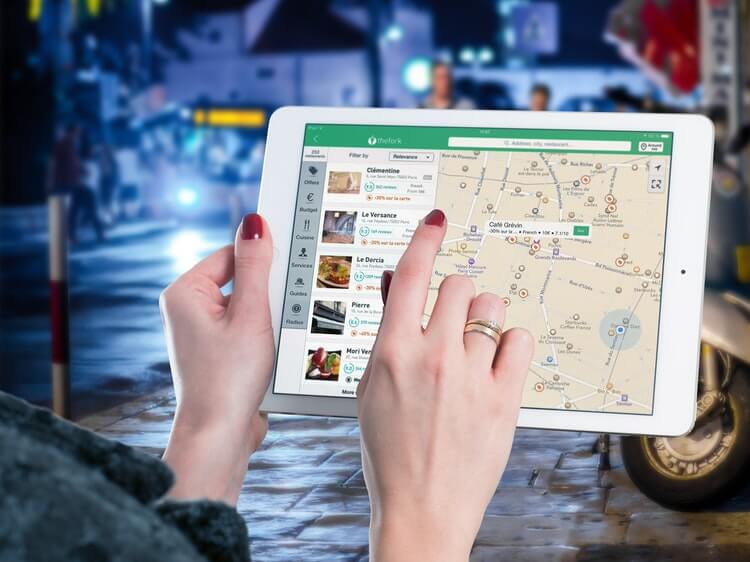
I follow my nose whenever I travel in China. But sometimes I get really lost and rely on a China maps app.
Don’t be an idiot like me – embrace the technology and learn to use a China map app before you leave your country.
You’ll have a much more pleasant time traveling, and you won’t waste time walking around in circles!
Here’s my list of the best map apps that work in China in 2026, starting with the ones available in English.
1. AMap

AMap is the one that everyone uses and loves. Image by StreetVJ on Shutterstock.
If you’re wondering what map to use in China, this is it.
Until recently, AMap – pronounced Gāodé in Mandarin – was only available in Chinese characters.
But now it can be enjoyed by everyone, including foreigners in China, whether you’re an Android or Apple user.
There are lots of neat features, including real-time traffic updates and ETAs.
So, you’ll know exactly how long you’ve got in the bus until you get to the Great Wall!
2. Apple Maps
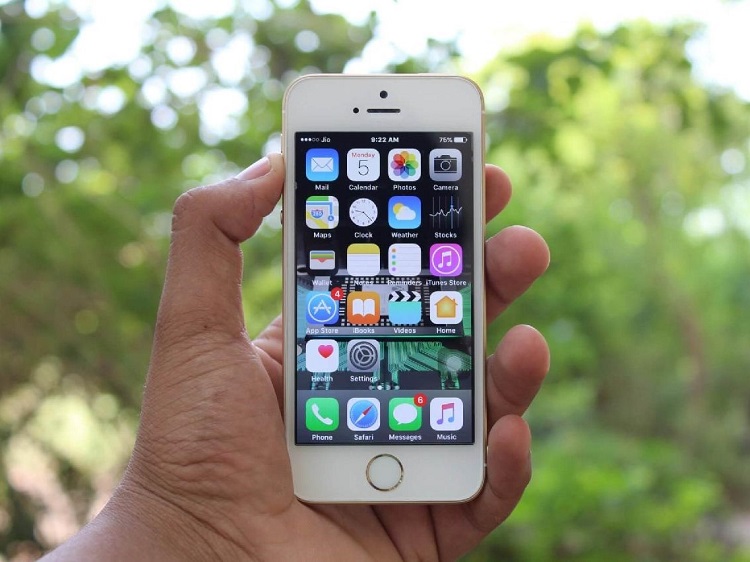
Apple Maps works in China. Image by Pexels.
- Available: Apple App Store
- English: Yes
- Chinese name: 苹果地图 (Píngguǒ Dìtú)
Got an iPhone? Then you can use Apple Maps when you’re in China.
The maps data is supplied to Apple by AMap, so you know it’s going to be accurate.
With Apple’s Indoor Maps, you can get detailed directions inside major Chinese airports including Shanghai and Guangzhou.
If you have an iPhone, this app should already be on your phone – there’s no special Chinese version you need to download.
See also: My Shanghai travel guide
3. Google Maps

Chinese Google Maps works in touristy areas like Beijing. Image by TY Lim on Shutterstock.
Everybody knows and loves Google Maps.
But due to restrictions on geographic data in China, Google doesn’t have access to local mapping software and relies on satellite imagery instead.
This means Google Maps can be inaccurate. In China, I use it for things like simple directions and tourist attractions rather than up-to-date transport connections.
What’s good about Google Maps in China is it often shows both English and Chinese together on maps. Trust me, when you get lost, this is a blessing!


I need to point out here that Google Maps and most other major foreign apps and social media sites (like Facebook and Instagram) are blocked in China when you use Wi-Fi. This is known as The Great Firewall of China.
The solution? You need to get a virtual private network (VPN) app on your phone, or an eSIM that has an in-built VPN.
I’ve highlighted the VPNs that work in China here to help you make a decision. Otherwise, tap on the button below for the one that is the most reliable in China right now:
Just make sure you download the VPN app before you arrive in China, otherwise you’ll be stuck.
See also: My Beijing travel guide
4. MAPS.ME

MAPS.ME is a map app that works in China. Image by Sebastian Hietsch on Unsplash.
With over 140 million downloads, MAPS.ME is an insanely popular map app and a good alternative to Google Maps in China.
This is because the maps are available offline for free, and MAPS.ME isn’t blocked in China. So, you can find your way around without using the internet.
However, you’ll need to download the maps of the cities you’re going to before you leave your country, otherwise you’re going to have to do this in your hotel when you arrive.
I’ve found this to be very time-consuming depending on the Wi-Fi connection.
Just be mindful that MAPS.ME is open-source software, so anyone can contribute to its development. This means that maps are often not very accurate (that’s been my experience, anyway).
I’ve also found it hard matching up the English in the app with some of the physical buildings and landmarks which are named in Mandarin. But hey, it’s free!
It’s worth pointing out that private mapping activities are banned in China. So, while you’re allowed to use this app in China, just don’t contribute to the actual building of it while you’re in the country.
5. Baidu Maps

Baidu is the red app on the far right. Image by Tada Images on Shutterstock.
Baidu is China’s equivalent of Google.
And just like Google, they’ve got their own Maps app.
Baidu Maps has some pretty cool features like street view, 3D city maps and checking public transport times. You can also download maps before you arrive at your destination and then access them offline.
But, unless you can understand Chinese characters, Baidu Maps probably isn’t for you.
6. Tencent Maps

Tencent is a leading Chinese map provider. Image by Katjen on Shutterstock.
Tencent owns some of the most popular apps in China including WeChat and Tencent Video (China’s YouTube equivalent).
It’s no surprise then that Tencent wants a piece of the maps pie in China.
Back in 2020, Tencent Maps (along with WeChat) raised eyebrows by launching a special map that identified residential communities infected by COVID-19. Hopefully those days are behind us!
Like Baidu Maps, you’ll need to be a Chinese language whiz to use this one.
What about Bing Maps?

Bing is your last resort in China. Image by Mindea on Shutterstock.
Bing doesn’t have a map app.
But you can use their website map instead. Luckily, it’s not blocked in China and it’s OK for emergencies.
You have to be careful with Bing though as it may automatically select the language based on your location, meaning everything will appear in Chinese.
If you don’t know how to change this, choose an English-speaking server location (e.g. United States) while using your VPN, and you won’t have this issue.
But if you’re using a VPN, you’d be much better off using a different map app than Bing for accuracy reasons. Bing is pretty hopeless in China, from my experience.
What about LingoMap?
This dedicated China map app used to be a great option for foreign tourists.
However, the creator of LingoMap has advised me it’s no longer updated and can only be downloaded on older devices.
What about what3words?
what3words uses three unique words to pinpoint a specific 3m x 3m area anywhere in the world.
As the entire what3words grid is fixed, the three-word address for a particular location will never change even if buildings or streets change.
I haven’t used this app yet, but I might give it a go next time I’m in China. It’s not blocked there.
In fact, the what3words technology has been adopted by Mercedes-Benz in China. The app has its own Mandarin version (called 三词地址) among other languages.
Other China map websites

There are other map sites available in Chinese. Image by Nothing Ahead on Pexels.
You don’t need the latest apps on your phone to navigate your way around China.
So long as you can read Chinese, these map providers all do the job:
OSM is like MAPS.ME – it’s an open-source map that you can view offline.
The downside of OSM is that local maps are displayed in the language of the country you’re in. So in China, all the streets are shown in Chinese characters.
However, you can still type a location in English and the map works. A few businesses, particularly in the more cosmopolitan areas like Shanghai, have their English name on the map too.
Will using a map app in China eat up my data?

Check your data limits with your phone company. Image by Pexels.
Using your hotel’s Wi-Fi won’t use any data.
But if you turn on international roaming on your phone, you will start to use data very quickly (and the cost is insane).
So what’s the solution?
I’d say get a China eSIM before you fly out.
These eSIMs, which I’ve reviewed and used in China, get you a data pack. The cost depends on how much data you want.
You get access to all the foreign apps and websites, even though you’re connected via a local carrier (like China Unicom).
So, it’s kind of like a VPN except without the security and anonymity. If you want that, get both an eSIM and a VPN.
Another option is to find out the international roaming rates from your local phone company.
I’ve previously activated international roaming with Vodafone for an extra AUD$5 a day (US$3.50).
This got me unlimited data, and is a good idea for a short trip.
If you don’t want to use any data while you’re in China, you’ll need to rely on an app like MAPS.ME.
Just download the maps before you arrive, and don’t expect great accuracy.
Tips for using map apps in China

A street sign in China with characters and pinyin. Image supplied by Mike Cairnduff.
Here’s my advice on getting the best experience with your map apps in China.
1. Use a domestic app for street view
Only the domestic map apps and websites offer street view in mainland China.
So, you would need to use AMap, Baidu or Tencent Maps for this feature.
2. Download apps before you leave home
If there are any apps you think you’ll need in China, it’s best to download them before you leave.
For instance, Google Play is blocked in China. If you get a VPN though, you’ll be able to use Google Play.
3. Use a translation app for Chinese street signs
Although you’ll see some English in the major tourist areas, you’ll only find Chinese characters and maybe pinyin (the Romanized spelling of Mandarin) on China’s street signs.
And that’s if there are any street signs at all!
Using AMap or Google Maps, which has English and Mandarin, you can try to match the street sign with what’s showing on your app.
Or, use a little hack and scan the characters with your phone using a translation app.
Sometimes the translations are funny, but you should hopefully be able to figure out if you’re heading in the right direction.
4. Use offline maps
Downloading maps on the go will chew up your data quickly, and could end up costing you a small fortune.
Download offline maps of the areas you’ll be exploring before you head to China.
Just note that you won’t get the full map experience, i.e. many features will be lost.
5. Don’t rely on 100% accuracy
The Chinese government has a big say when it comes to technology in China. And Chinese navigation apps are no exception.
For example, if you’re using Apple Maps – which relies on Chinese mapping company AutoNavi (AMap) – you may not be able to find your nearest H&M store.
It’s missing due to a government boycott of certain Western brands regarding the situation in Xinjiang province.
What if I get lost in China?

Tourist areas like Beijing’s hutongs are hard to get lost in. Image by Lapas77 on Shutterstock.
Rest assured China is safe, and the people are generally friendly and will help if they can.
If you get lost in China, you can always rely on a translation app (my recommended travel apps for China are here). Even if it doesn’t give you a perfect translation, the locals should still get the gist.
Just show them the translation on your phone rather than try to pronounce the words yourself!
See also: How to learn basic Mandarin
So what is the best map app for China?
If you can’t read Chinese characters, you’ll need to use AMap, MAPS.ME, Apple Maps or Google Maps.
AMap is the best overall, no matter your device. It’s the English version of the Chinese app, Gaode, that all the locals use.
MAPS.ME is a good back-up option because it has offline maps, and it’s not blocked in China. This means you won’t need to spend a cent on internet data if you plan ahead and pre-download everything you need.
If you have an iPhone, use Apple Maps. The app works in China, and the maps are based on AMap’s technology.
You can also use Google Maps. Even though it’s not entirely accurate, you’ll be able to get by as long as you have an eSIM (with inbuilt VPN) or you download a VPN app before you arrive. This is because Google is blocked in China.
You can read my review of the best China VPN here.
Alternatively, go straight to the one I recommend most:
Most of the other VPNs simply don’t work in China anymore.
My last piece of advice
No matter where you’re going in China, make sure you have the address in Chinese characters, not just English.
If you lose your way, you can simply show it to a taxi driver, and you’ll be taken to the right place.
Best of luck traveling – you’re going to have a blast!
I hope I’ve helped with your China map app needs. Leave a comment if you have any questions or suggestions. If you’re looking for the best overall apps for foreigners to use in China, check out my blog here. I think you’ll like it.
Main image credit: Firmbee on Pixabay.
FAQ about the best China map app
Does Apple Maps work in China?
Yes, it does.
Is there a Chinese map app in English?
Yes, AMap.
Does China have Google Maps?
No, it’s blocked in China unless you have a VPN or an eSIM with inbuilt VPN.
What’s a Google Maps China alternative?
English options include AMap, Apple Maps and MAPS.ME.